
 By
By 
Losing important files from your hard drive can feel like a nightmare. Whether it’s work documents, cherished family photos, or important software, the thought of losing them forever is enough to cause panic. But the good news is—hard drive data recovery is often possible. This blog will walk you through how to recover data from a hard drive safely and effectively, using simple steps and best practices that anyone can follow.
What Causes Data Loss on a Hard Drive?
Before learning how to recover files, it’s important to understand what causes them to disappear in the first place. Common reasons include:
- Accidental Deletion: Sometimes, files are removed and emptied from the recycle bin without backup.
- Corruption: File system errors or software crashes can lead to corrupted data.
- Physical Damage: Dropping your hard drive or exposing it to moisture or heat can cause mechanical failure.
- Formatting: Mistakenly formatting a drive erases all data on it.
- Virus Attacks: Malicious software can delete or encrypt your files.
Knowing the cause helps determine the best recovery approach.
Immediate Steps to Take After Data Loss
Time is critical when dealing with data loss. The sooner you act, the better your chances of success. Here are the first things to do:
- Stop Using the Drive: Do not write new data to the drive. This can overwrite the files you’re trying to recover.
- Disconnect Safely: If it’s an external hard drive, safely eject it. For internal drives, shut down the system.
- Avoid Formatting or Reinstalling: Formatting or reinstalling your OS can further reduce the chances of recovery.
Taking these steps prevents further damage and increases the likelihood of recovering your data.
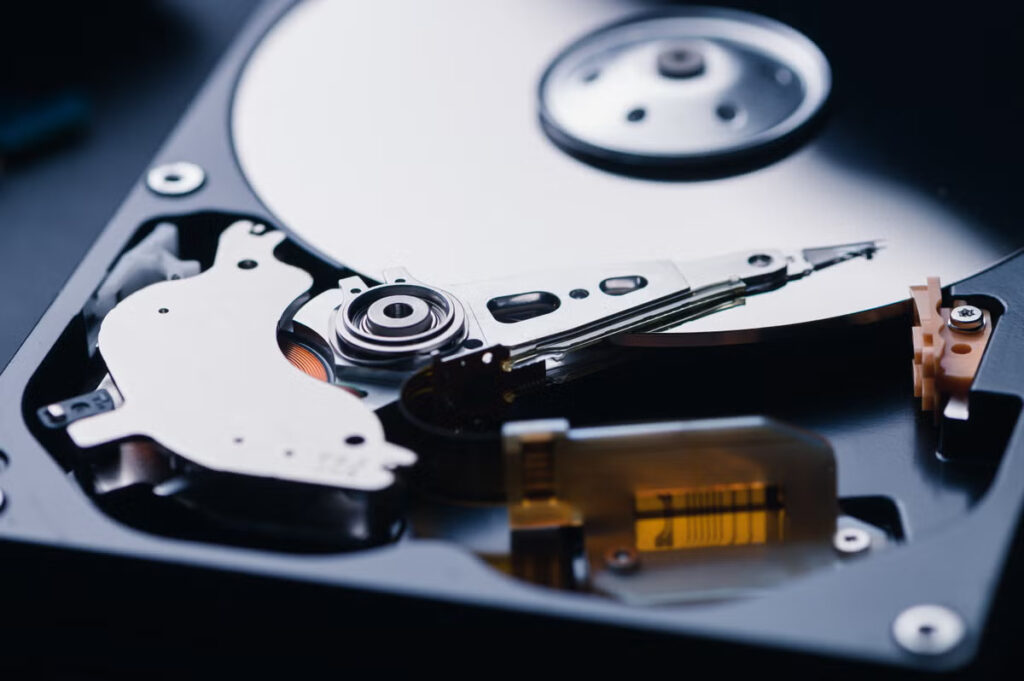
Common Methods to Recover Data from a Hard Drive
There are several safe methods to attempt hard drive data recovery. Let’s go over the most reliable ones:
-
Check the Recycle Bin
It might sound simple, but sometimes files are just in the recycle bin. Open it, and if you find your lost file, right-click and choose “Restore.”
-
Restore from Backup
If you’ve been keeping regular backups using tools like Windows Backup or Time Machine on Mac, recovering data is easy. Just go to the backup folder and retrieve the lost files.
-
Use Data Recovery Software
There are several user-friendly programs designed to scan your hard drive and recover deleted or lost files. These tools can detect data even after deletion, as long as the file hasn’t been overwritten. Many of them offer “read-only” scanning, ensuring your drive isn’t harmed during the process.
-
Try File History or Previous Versions
On Windows, right-click the folder where the file was located, select “Restore previous versions,” and choose a restore point before the data was lost.
Physical Damage? Proceed with Caution
If your hard drive is clicking, buzzing, or showing signs of physical damage, do not attempt to open or repair it yourself. These types of recoveries require clean-room environments and professional techniques to avoid permanent data loss.
Here’s what to do:
- Disconnect the drive immediately.
- Store it in a static-free bag.
- Contact a data recovery professional with experience in dealing with physically damaged drives.
Trying to fix a physically damaged drive on your own could result in permanent file loss.
How to Prevent Future Data Loss
Prevention is always better than cure. Here are some tips to protect your data going forward:
- Regular Backups: Schedule automatic backups to an external drive or cloud storage.
- Install Antivirus Software: Protect your files from malware and ransomware.
- Avoid Physical Risks: Keep your hard drive in a cool, dry, and safe place.
- Use a UPS (Uninterruptible Power Supply): Prevent data corruption from unexpected power cuts.
- Be Cautious While Deleting or Formatting: Double-check before permanently deleting or formatting any drive.
Building these habits ensures that even if something goes wrong, your data is not lost for good.
Conclusion: Recovering Data Is Possible—If You Act Wisely
Hard drive data recovery doesn’t have to be overwhelming or costly. With the right steps and tools, you can recover data from a hard drive without damaging your system. Whether you’ve accidentally deleted a file or are dealing with a corrupted disk, staying calm and following safe recovery practices makes all the difference.
The key takeaway? Don’t delay, don’t overwrite, and don’t panic. With careful handling, your lost files might not be lost at all.

















Comments